SDR (Cold Calling) Calendar Setup
Table of Contents
Referral Partner Service – GHL Intro Call Booking System 1
STEP 1 – CONNECT YOUR GOOGLE CALENDAR 1
4. Authorize your Google account 4
STEP 2 – CREATE YOUR INTRO CALL CALENDAR 2
STEP 5 – INVITE TITLE FORMAT 5
STEP 7 – HOW TO BOOK A CALL (LIVE ON THE PHONE) 7
Referral Partner Service – GHL Intro Call Booking System
This SOP standardizes how SDRs book intro calls with Vlad inside GoHighLevel so that:
Every appointment is tracked correctly
Sets and shows are attributed to the correct SDR
Data flows into the dashboard accurately
No manual tracking is required
This aligns with the Referral Partner system and tracking requirements outlined in the program SOP.
Objective
Each SDR must:
Have a dedicated booking calendar inside the correct sub-account.
Book all intro calls through their assigned calendar.
Ensure Vlad’s Google Calendar is connected.
Ensure their own Google Calendar is connected.
Bookmark their permanent booking link.
This allows you to:
Set tracking (who booked it)
Show tracking (if Vlad marks it as showed)
Clean reporting inside the dashboard
STEP 1 – CONNECT YOUR GOOGLE CALENDAR
This must be done inside the correct GHL subaccount (example: Restoration Inbound).
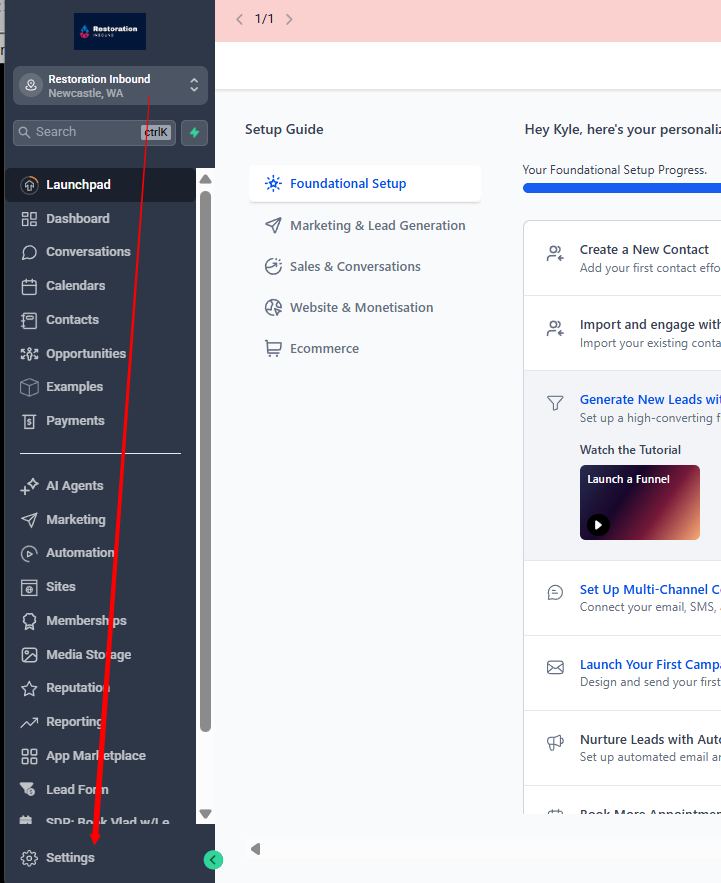
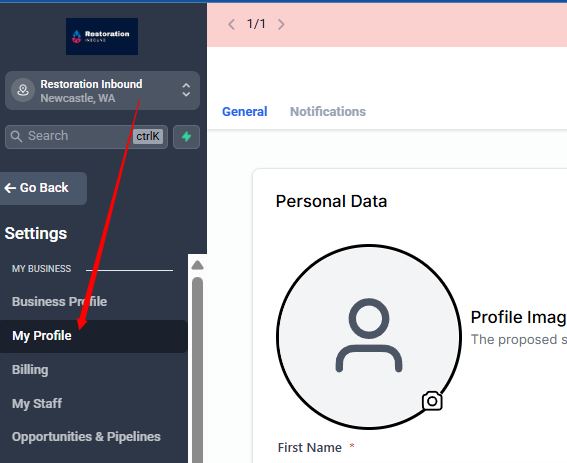
1. Go to:
Settings → My Profile
2. Scroll to:
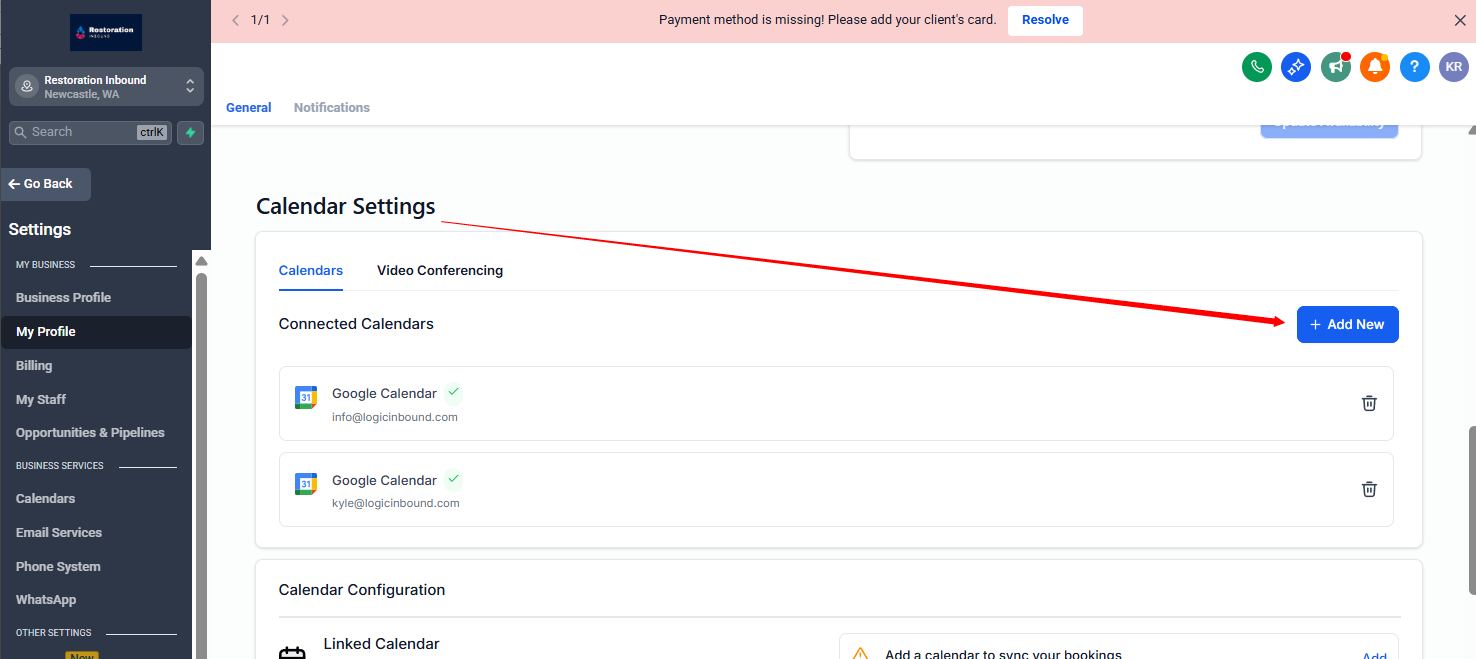
Calendar Settings → Connected Calendars
3. Click:
Add New → Google Calendar
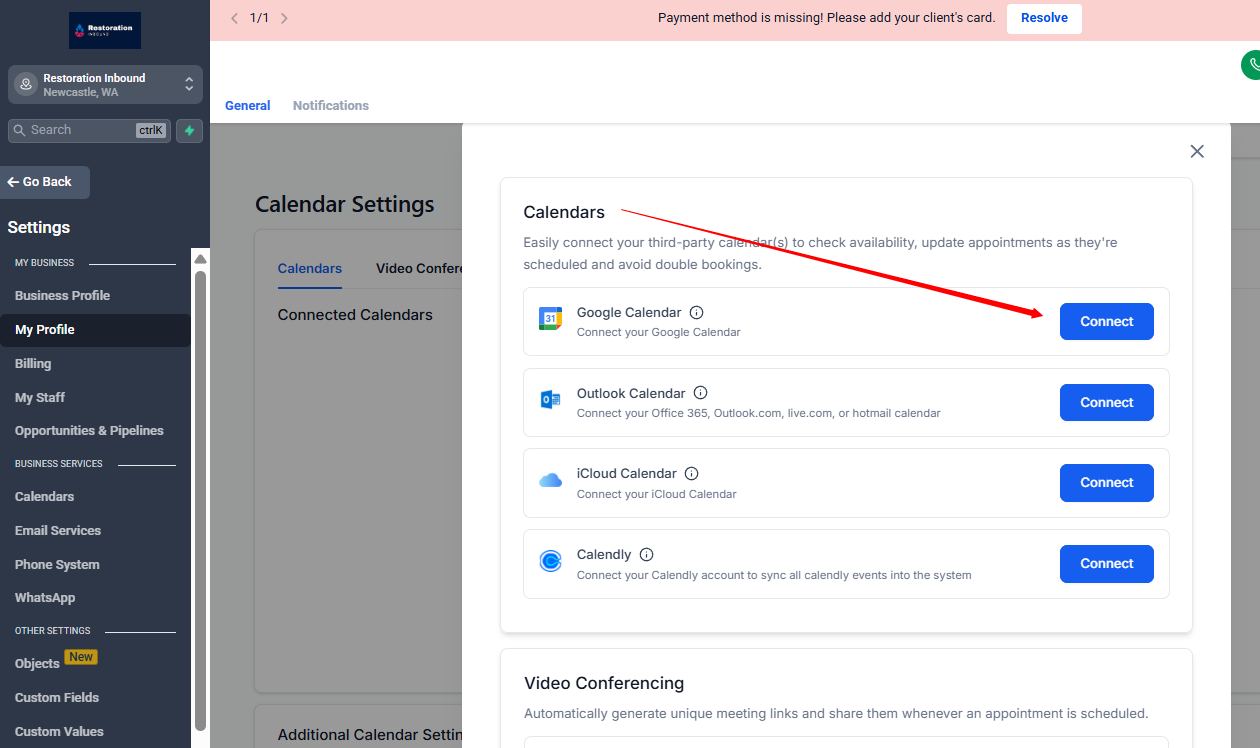
4. Authorize your Google account
5. Select:
Your primary calendar
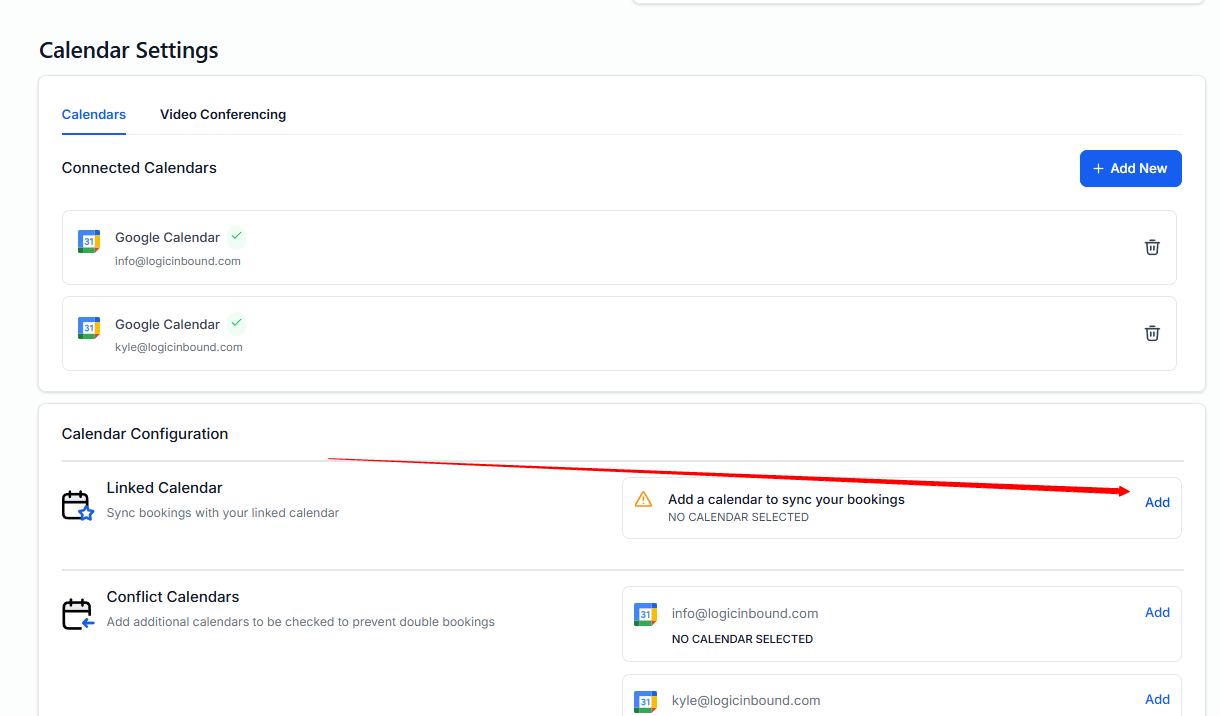
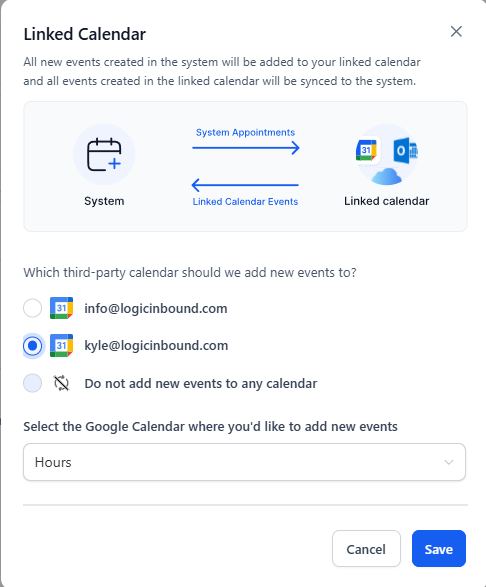
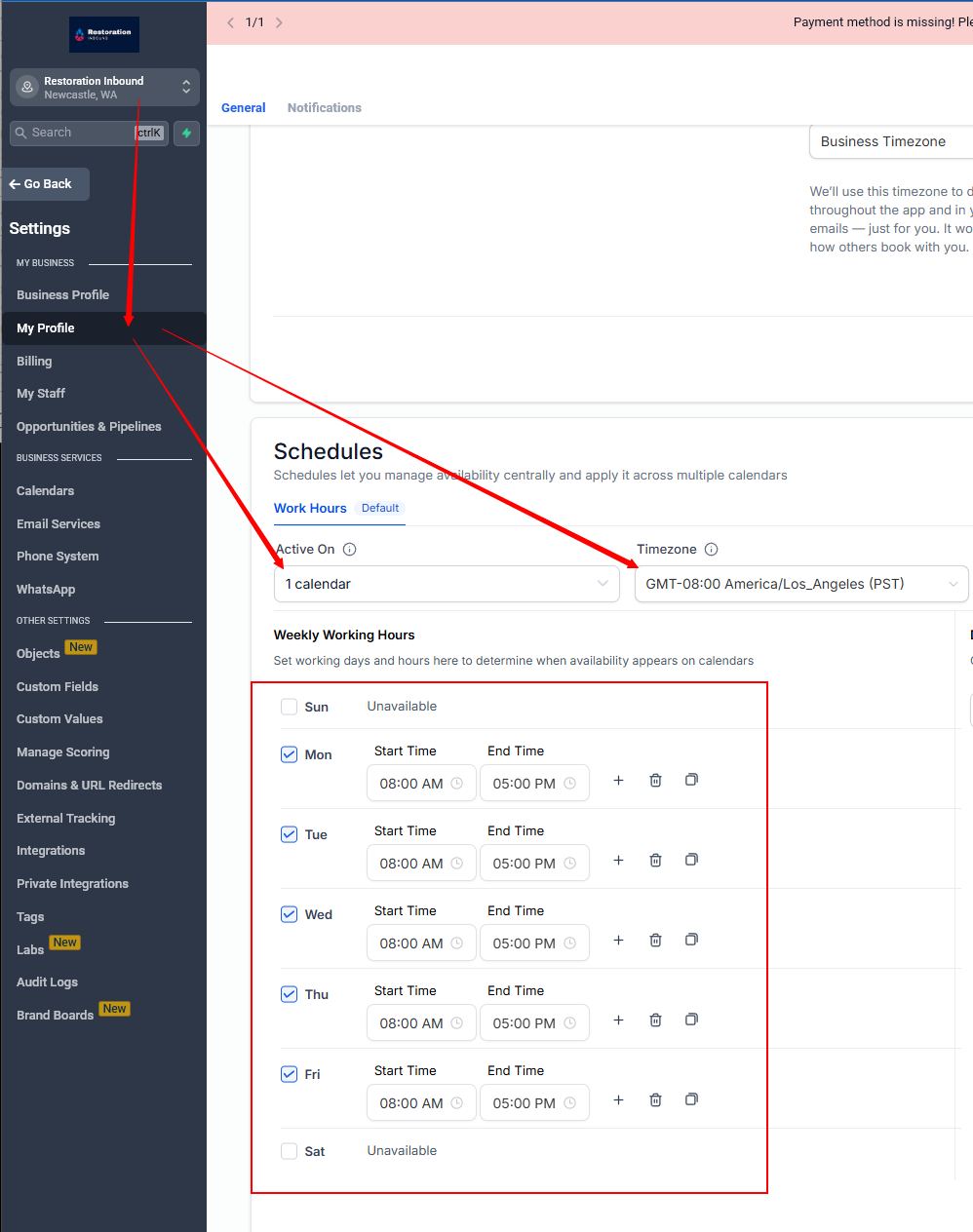
6. Save
If this step is skipped, meetings will not sync properly.
STEP 2 – CREATE YOUR INTRO CALL CALENDAR
Each SDR must create their own version.
1. Go to:
Calendars → + New Calendar
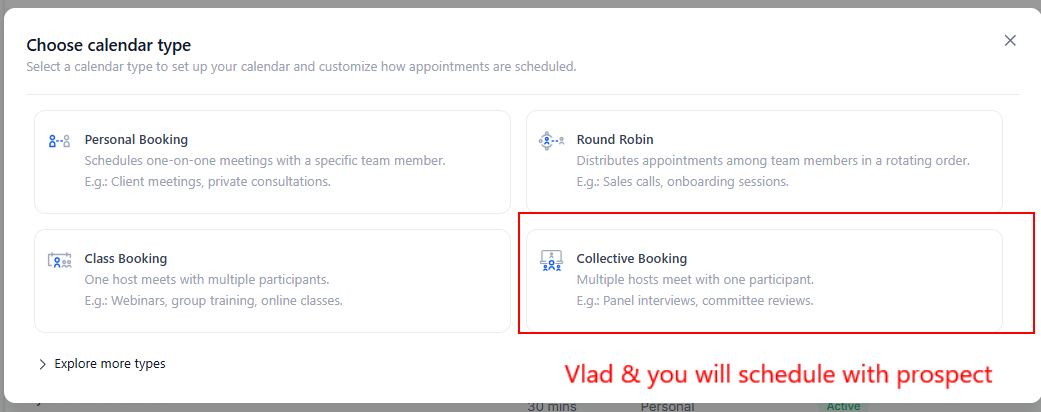
2. Select:
Collective Booking
(Multiple hosts meeting one participant)
3. Basic Settings
Use the following format
Calendar Name:
Intro Call – Vlad – [Your Name]
Custom URL:
intro-call-vlad-[yourname]
(No spaces)
Duration: 30 minutes
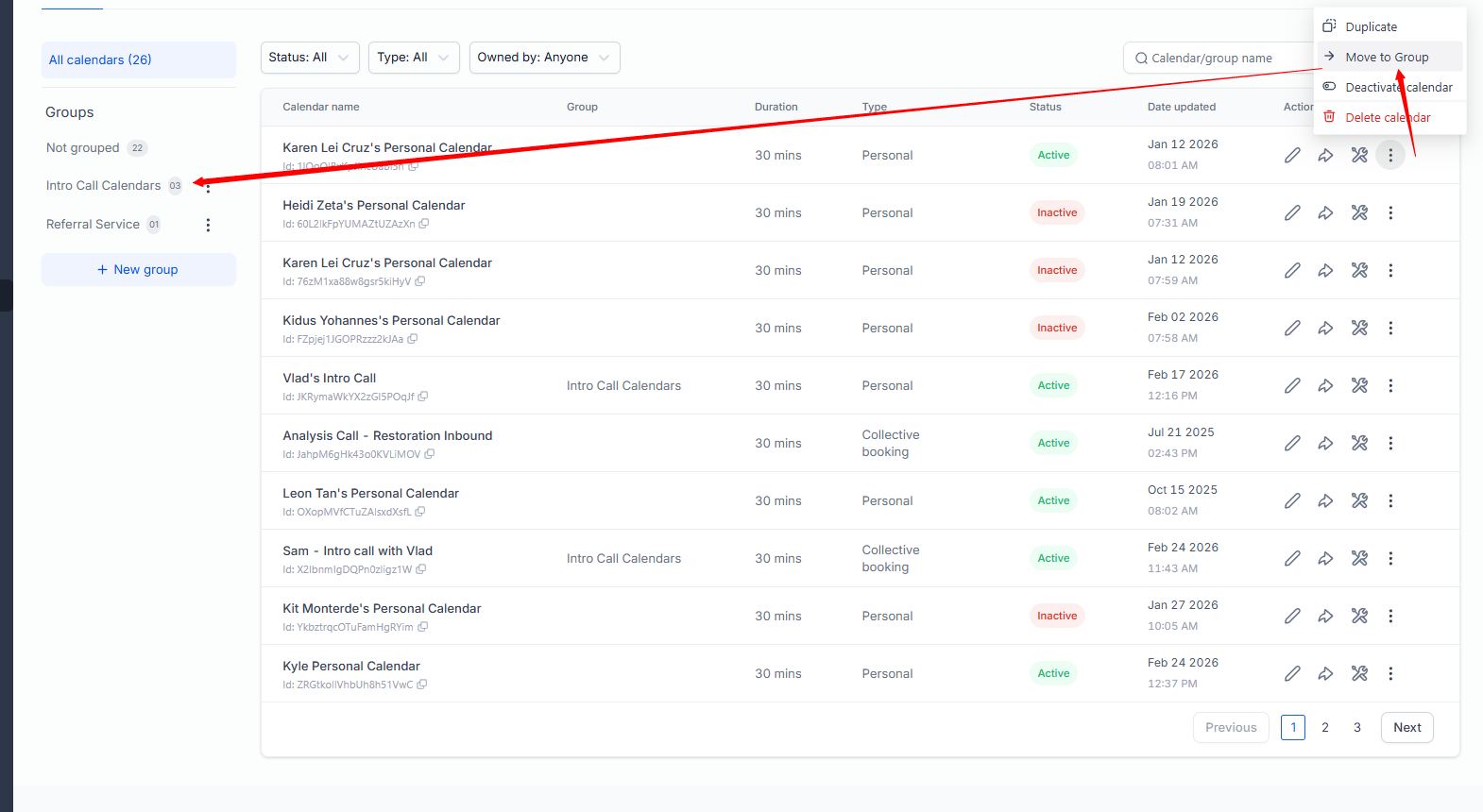
Group: Intro Call Calendars
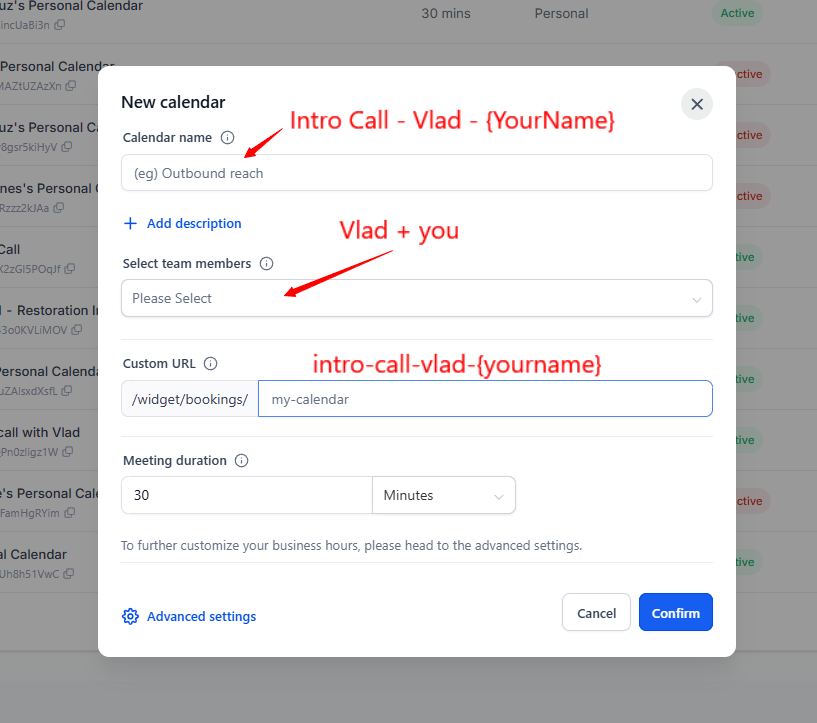
Click Advanced settings
Move new Calendar to Intro Call Group
STEP 3 – ASSIGN HOSTS
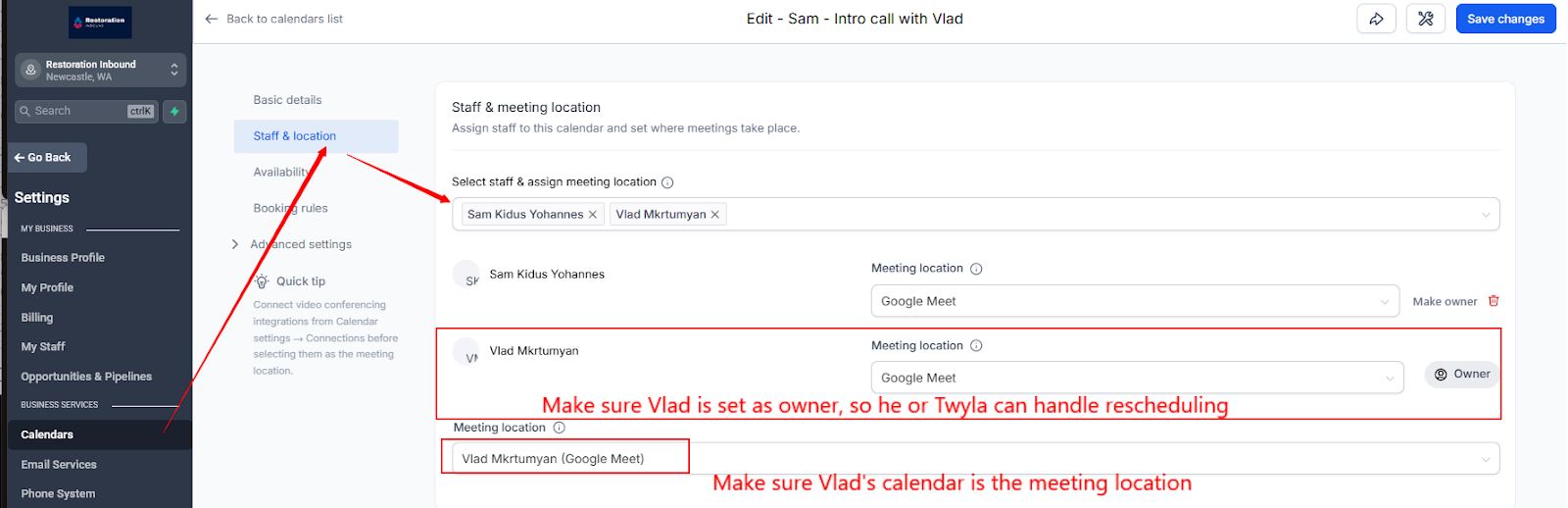
Under Staff & meeting location:
Add Vlad
Add yourself
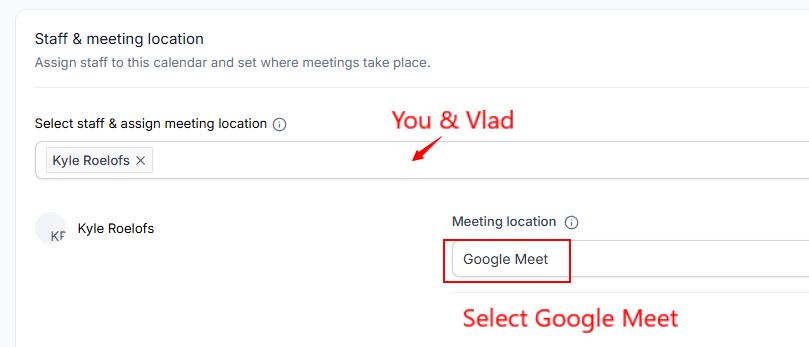
Under Meeting Location:
Owner = Vlad
Location = Google Meet
This ensures:
Vlad owns the calendar
The Google Meet link generates automatically
Vlad can reschedule if needed
STEP 4 – BOOKING RULES
Go to Booking Rules and configure:
Minimum scheduling notice: 1 day
Pre-buffer: 5 minutes
Post-buffer: 5 minutes
No max bookings unless specifically instructed
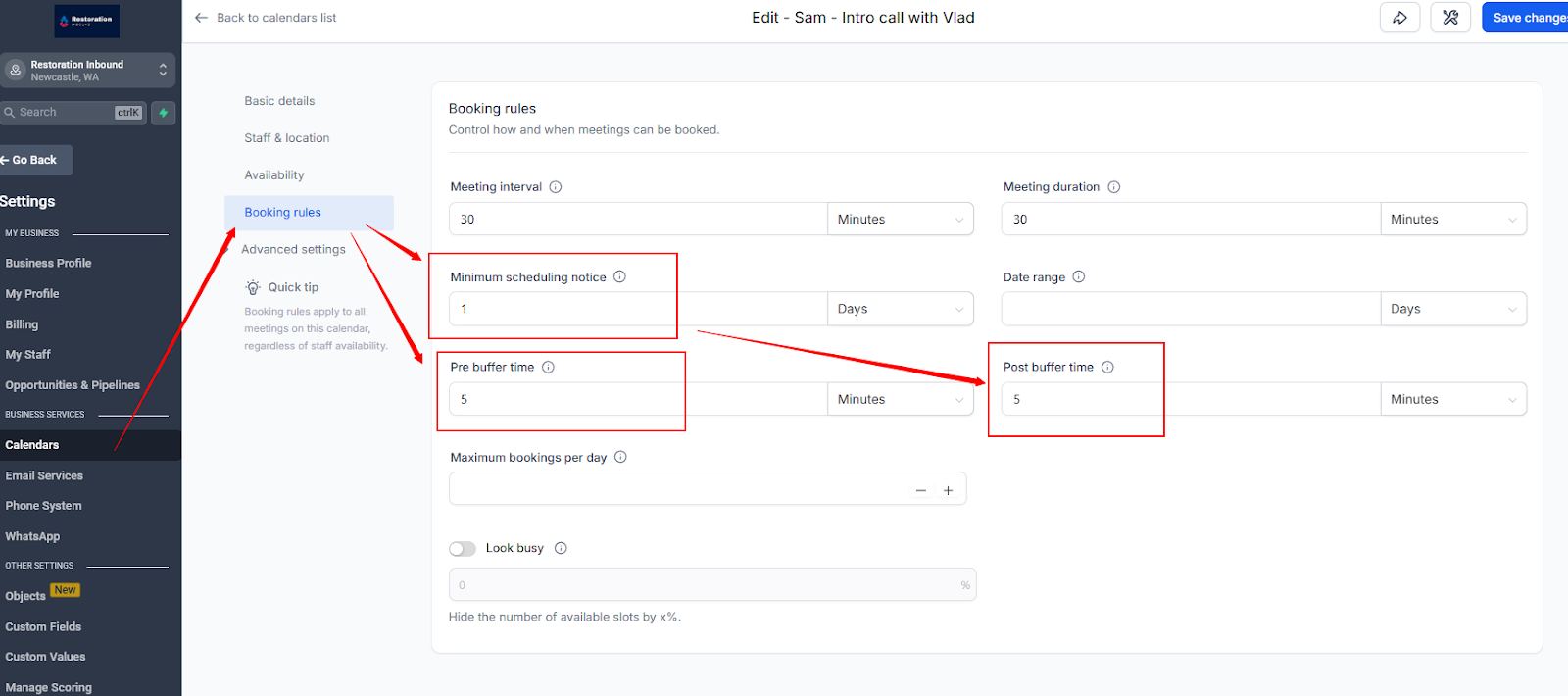
This prevents back-to-back overload and protects Vlad’s calendar.
STEP 5 – INVITE TITLE FORMAT
Under Meeting Invite Title, use:
{{contact.name}} – Intro Call – Vlad – Restoration Inbound
This keeps all meetings standardized and easy to identify.
STEP 6 – SAVE & SHARE
After saving:
Click the Share Icon
Copy the Permanent Link
Bookmark it in your browser
⚠️ This is the ONLY link you use when booking calls.
⚠️ Do not book directly on Vlad’s Google Calendar from yours as the system won’t credit that set to you.
STEP 7 – HOW TO BOOK A CALL (LIVE ON THE PHONE)
When speaking with a prospect who wants to book an intro call:
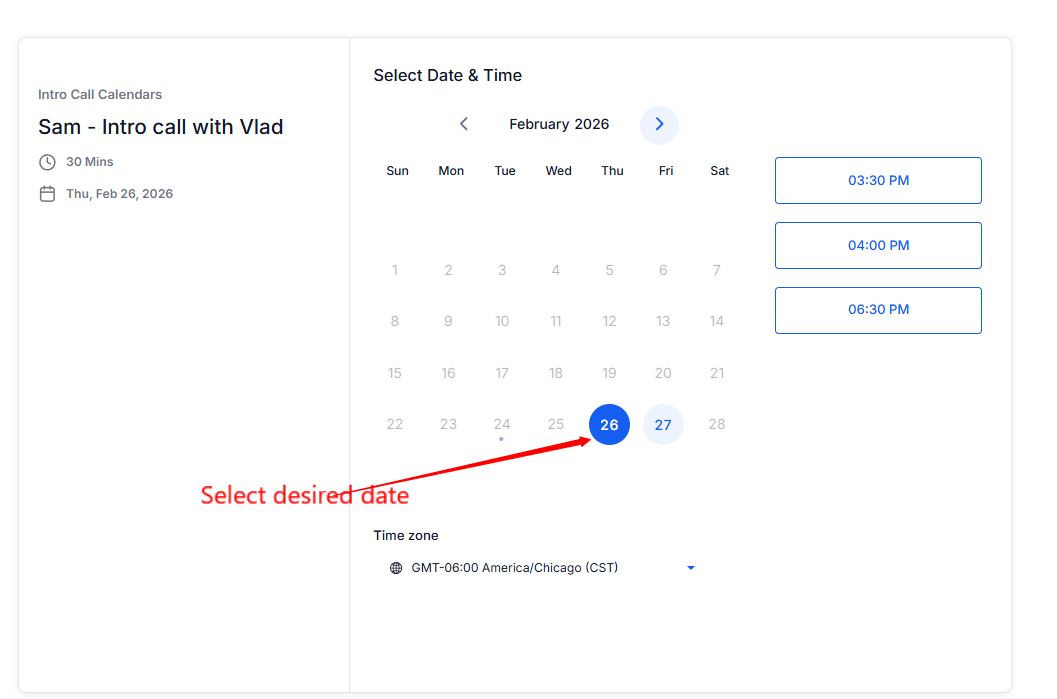
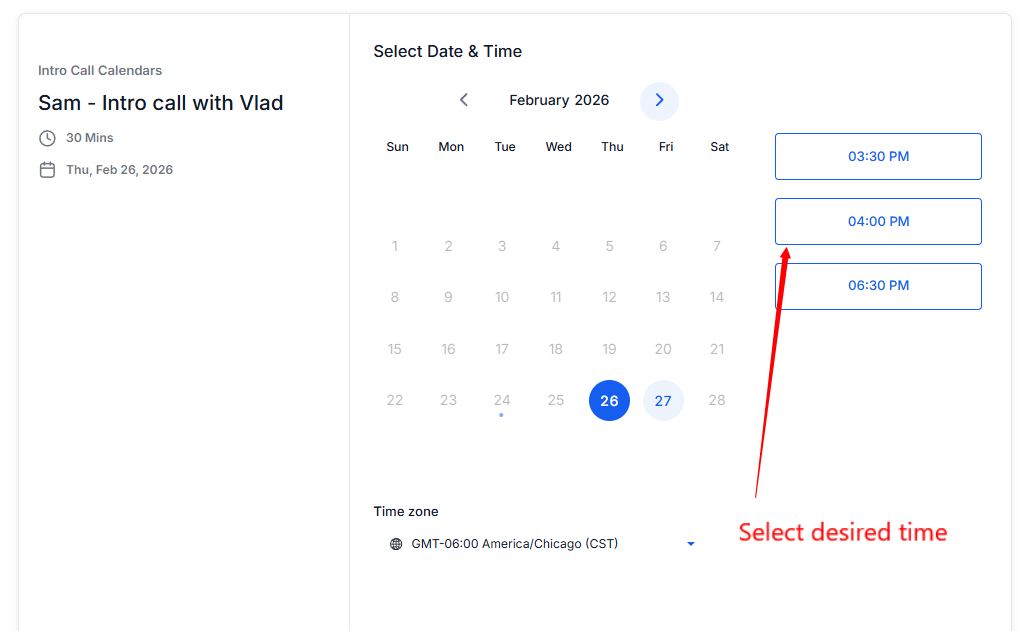
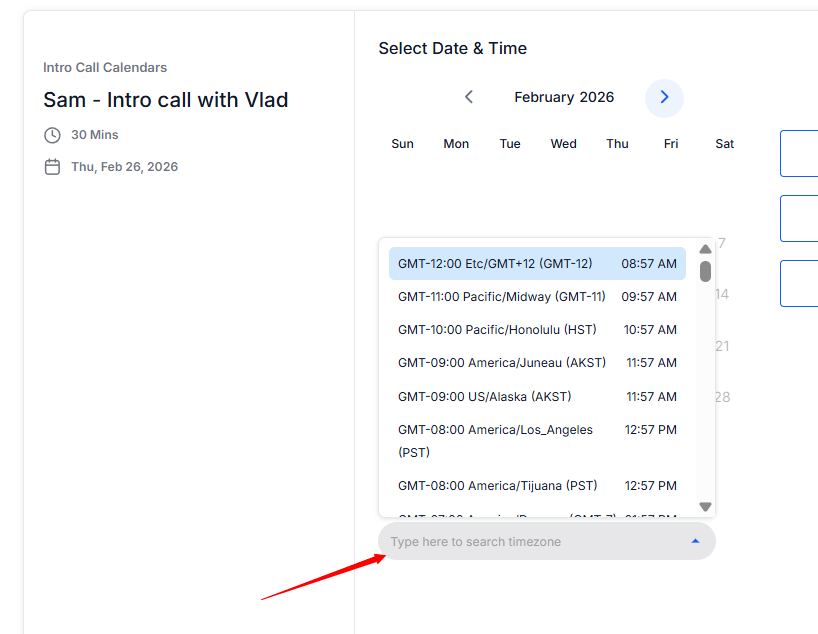
Ask their time zone
Adjust time zone dropdown if needed
Select date and time
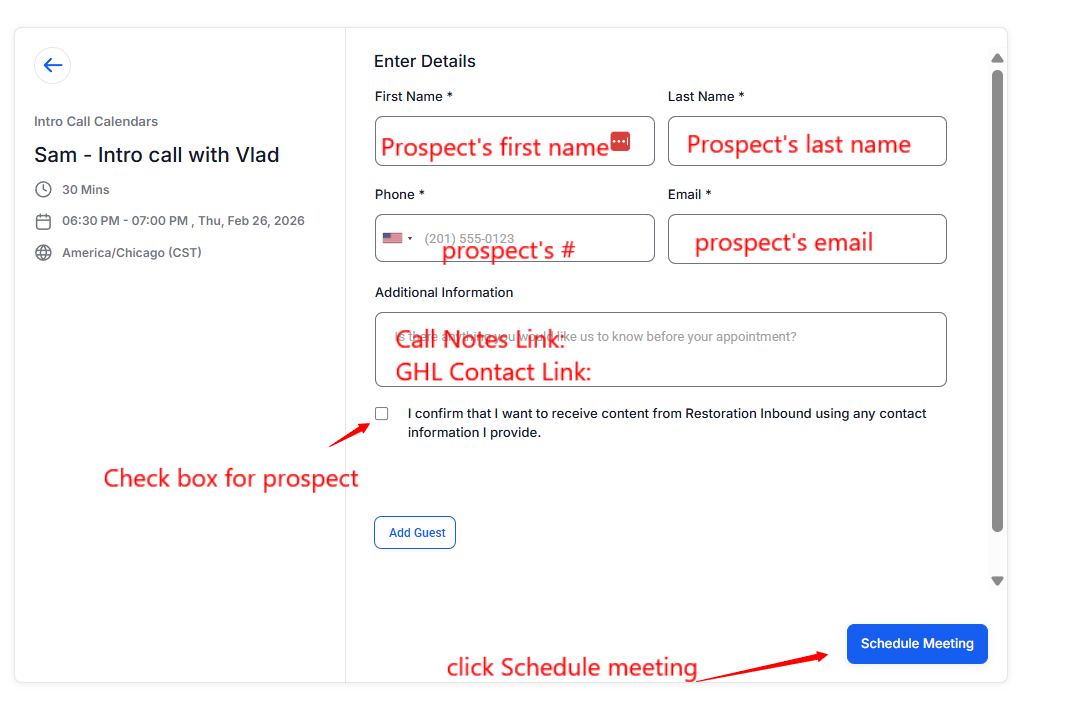
Enter:
First name
Last name
Phone
Email
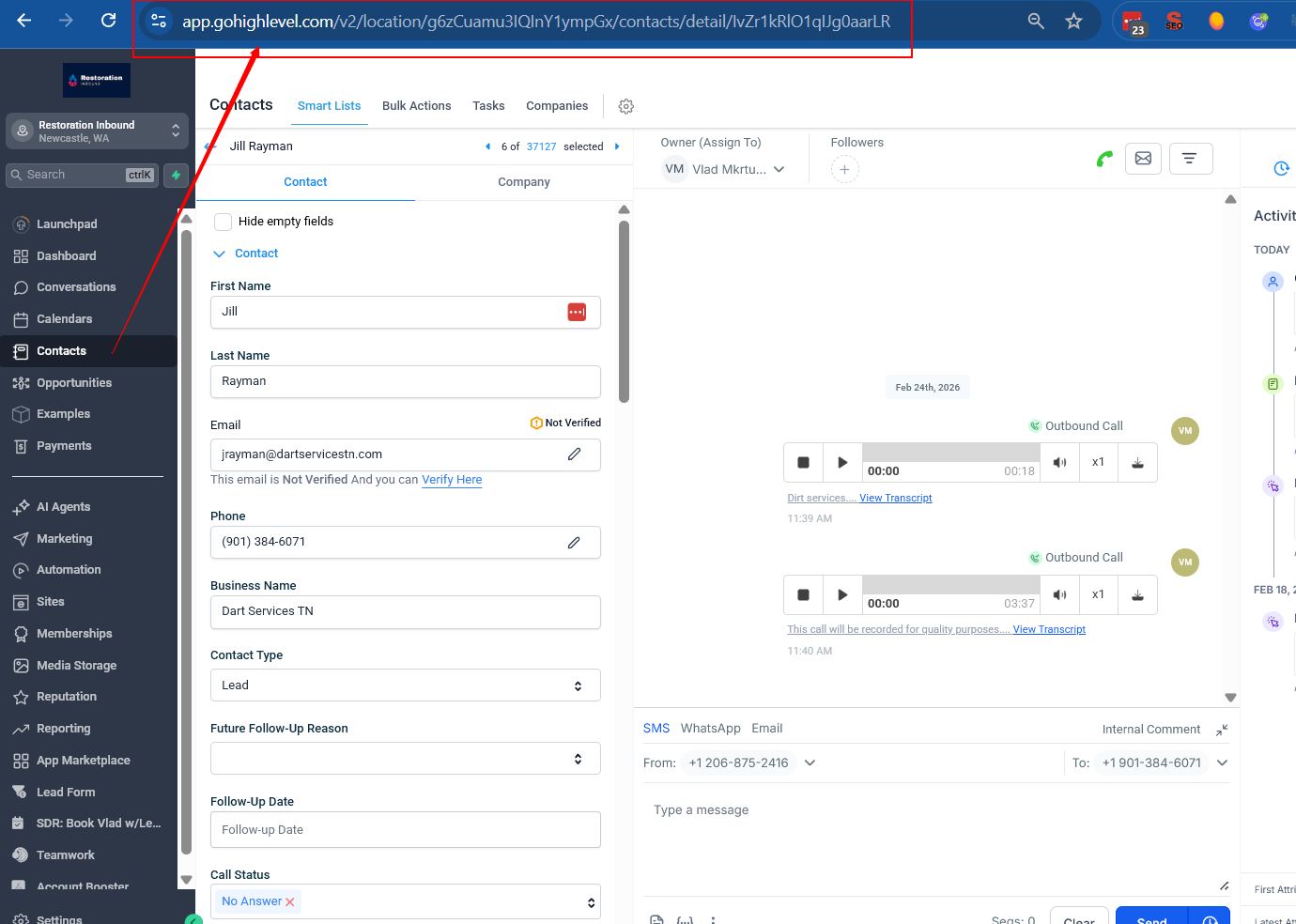
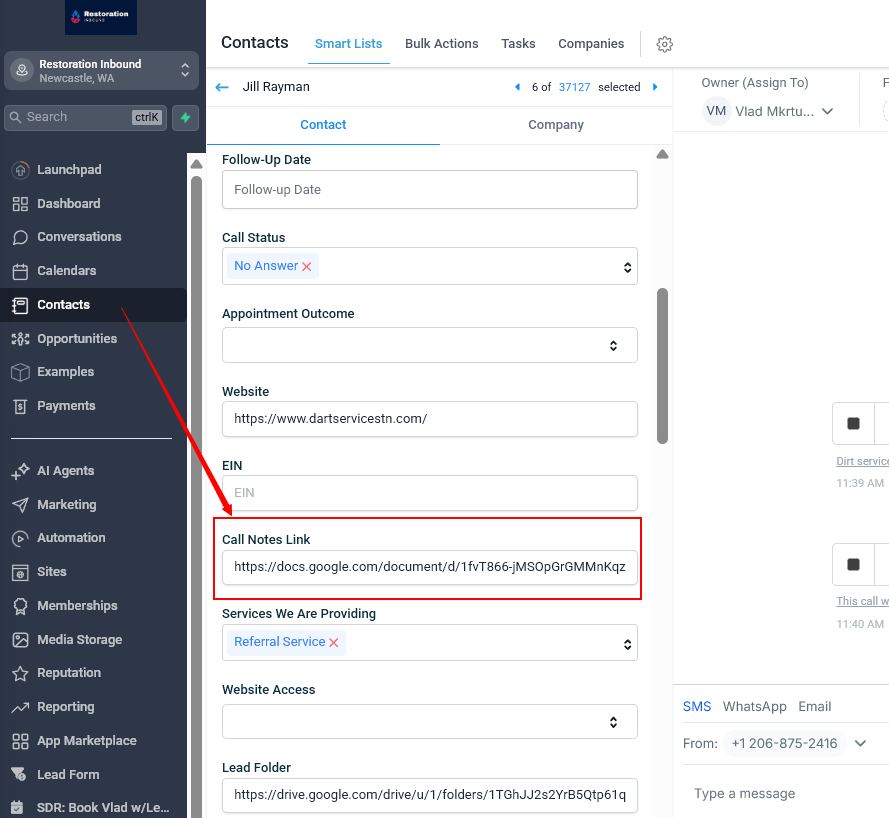
Add link to GHL contact and call notes link
Description Template:
Contact Link: {app.gohighlevel.com/v2….}
Call Notes: {https://docs.google.com/document….}
Click Schedule
The meeting will then:
Book on Vlad’s calendar
Be attributed to you on Dials.restorationinbound.com dashboard as a “set” appointment
HOW SETS & SHOWS ARE TRACKED
From the internal training transcript :
When you book through your calendar → it counts as a Set
When Vlad marks it as “Showed” → it counts as a Show
The system tracks who booked it
This eliminates manual reporting errors.
TIME ZONE RULE
Always confirm the prospect’s time zone.
If your computer defaults to a different time zone:
Manually adjust in booking screen
Double check before scheduling
⚠️ Wrong time zone bookings create no-shows.
RESCHEDULING PROCESS
If a prospect needs to reschedule:
Do NOT edit Vlad’s calendar manually
Message Twyla on Discord
Vlad’s calendar owner must adjust
DO NOT DO THIS
Do not book directly in Google Calendar
Do not use another SDR’s link
Do not send manual calendar invites
Do not create duplicate calendar types
Everything must go through your assigned intro calendar.
QUALITY CONTROL CHECK
Before going live with outreach:
Google Calendar connected
Vlad added as host
Booking link bookmarked
Time zone verified
Test booking completed
WHY THIS MATTERS
This connects directly to:
Call volume tracking
Referral partner performance metrics
Weekly reporting
Client billing validation
Internal profitability analysis
Clean booking = clean reporting = predictable output.
This is mandatory for all SDRs in the Referral Partner Program.
Once you’ve read through and completed the GHL calendar setup, please take this quiz.
