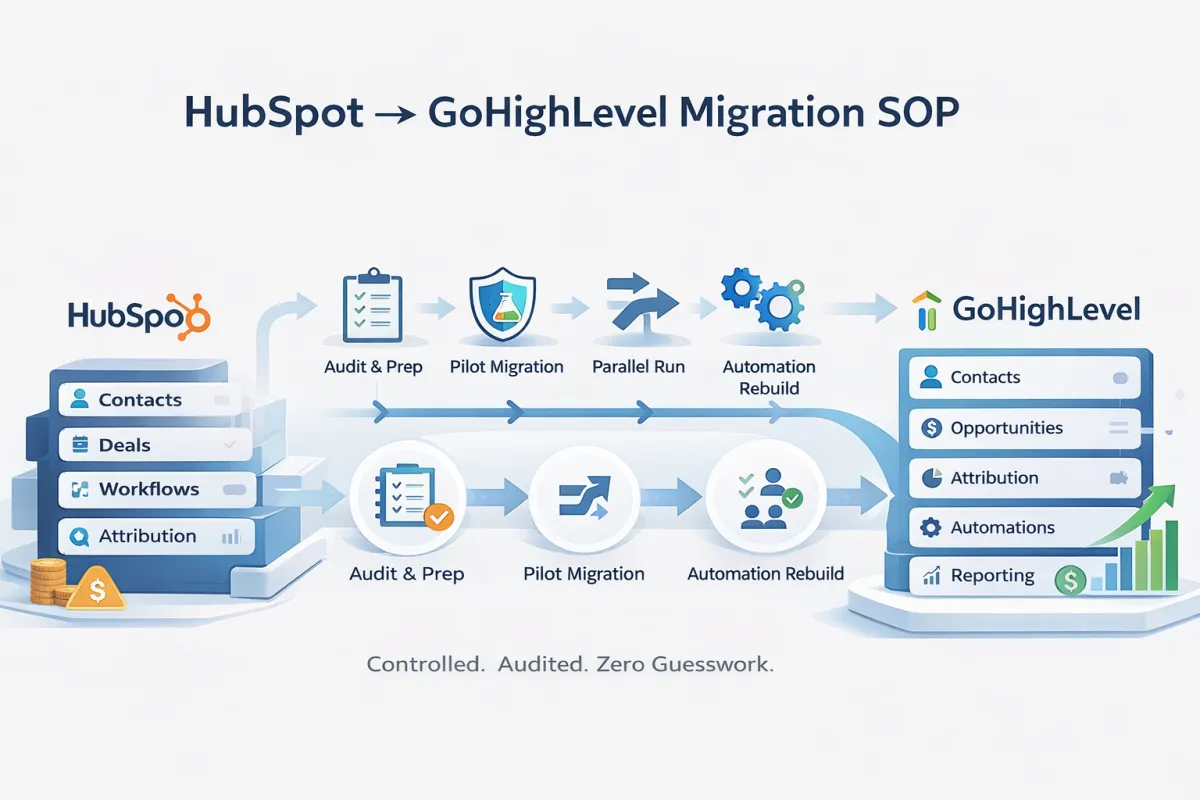
HubSpot To GoHighLevel (GHL) Migration
PURPOSE
Provide a repeatable, low-risk SOP for migrating a client from HubSpot to GoHighLevel (GHL) while preserving data integrity, attribution, and sales operations.
SUCCESS CRITERIA
• No contact or deal data loss
• Accurate pipeline stages and ownership
• Working attribution by source and campaign
• Sales team operational on Day 1
• HubSpot fully decommissioned without rollback
PHASE 0: PRE-MIGRATION PREP
STEP 0.1 – ACCESS & PERMISSIONS
• HubSpot Super Admin access
• GHL Agency Admin access
• Call tracking platform admin access (CTM)
• Dash CRM access (if applicable)
STEP 0.2 – DATA AUDIT
Export and review:
• Contacts
• Deals
• Pipelines and stages
• Custom properties
• Active workflows
• Call tracking sources
Document:
• Required vs legacy fields
• Automation dependencies
• Attribution logic
PHASE 1: GHL FOUNDATION SETUP
STEP 1.1 – CREATE CUSTOM FIELDS
Create all required fields BEFORE importing data.
CONTACT FIELDS:
• HubSpot Record ID
• Lead Status
• Marketing Contact Status
• Last Activity Date
• Attribution fields (Source, Campaign, GCLID)
OPPORTUNITY FIELDS:
• Deal Owner
• Pipeline Stage Dates
• External CRM References (Dash Job #)
STEP 1.2 – PIPELINE SETUP
Recreate HubSpot pipeline exactly:
• On Site Visit
• Estimate Created
• Work Scheduled
• Work in Progress
• Closed Won
• Closed Lost
• Hold
Do NOT add automation yet.
PHASE 2: PILOT MIGRATION (REQUIRED)
STEP 2.1 – PILOT CONTACT IMPORT
• Import 5–10 representative contacts
• Map all custom fields
• Disable all workflows
STEP 2.2 – PILOT DEAL IMPORT
• Import associated deals
• Validate pipeline stages
• Confirm ownership and relationships
STEP 2.3 – PILOT VALIDATION
Verify:
• Contact accuracy
• Deal-to-contact linking
• Attribution fields populated
• Sales usability
NO FULL MIGRATION until pilot is approved.
PHASE 3: FULL DATA MIGRATION
STEP 3.1 – CONTACT IMPORT
• Import all contacts
• Map email as primary identifier
• Keep workflows OFF
STEP 3.2 – DEAL / OPPORTUNITY IMPORT
• Import all deals
• Match by email or Record ID
• Preserve pipeline stage and close status
STEP 3.3 – COMPANY DATA (OPTIONAL)
If needed:
• Import company name as a custom field
• Do NOT rely on company objects for automation
PHASE 4: AUTOMATION REBUILD
STEP 4.1 – CORE SALES AUTOMATION
Enable only:
• Lead qualification
• Deal creation on qualification
• Pipeline stage rules
STEP 4.2 – ATTRIBUTION AUTOMATION
• Rebuild CTM attribution logic
• Lock source at deal creation
• Validate campaign-level reporting
STEP 4.3 – MARKETING & SERVICE AUTOMATION
• Booking confirmations
• Internal notifications
• Review requests
• Nurture sequences
PHASE 5: PARALLEL RUN
• HubSpot and GHL run simultaneously
• Incrementally move tracking numbers
• Duplicate forms into GHL
• Monitor live leads daily
Duration: 1–2 weeks
PHASE 6: TRAINING & ADOPTION
• Sales training: pipelines + notes
• Marketing training: attribution + reporting
• Admin training: workflows + troubleshooting
PHASE 7: CUTOVER & DECOMMISSION
• Disable HubSpot automations
• Set HubSpot to read-only
• Fully route calls and forms to GHL
• Cancel HubSpot contract
COMMON FAILURE POINTS (DO NOT IGNORE)
• Importing deals before contacts
• Enabling workflows during import
• Skipping attribution fields
• Rebuilding Dash logic inside GHL
• Overusing company objects
FINAL CHECKLIST
☐ Pilot approved
☐ Contacts validated
☐ Deals validated
☐ Attribution confirmed
☐ Sales team signed off
☐ HubSpot decommissioned
OUTCOME
A stable, scalable GHL instance with lower cost, clearer ROI reporting, and simpler automation than HubSpot.
